Split Picture Stopwatch1.2
Publisher Description
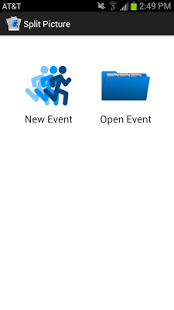
Split Picture is the most advanced way for coaches to time athletes.
This app combines a stopwatch with your devices camera so that you can take timed splits of several athletes by simply taking pictures during the event.
Split Picture can be used for an any time based sports and activities including track, cross country, swimming, cycling, triathlons, and skiing.
How it works:
Setup an event by entering athlete names. Then start the Split Picture timer when the event begins and take pictures of the athletes at each split location. Once the event is over, athletes can be tagged in each picture they appear in. Split Picture then calculates the splits for each athlete and displays the results. The results can be viewed in Split Picture or emailed as an excel file to view on a computer.
Works great for sports like: cross country running, track and field, most time based olympic sports, swimming, cycling, triathlons, cross country skiing, ultra marathons
Split Picture is the perfect stopwatch tool for coaches. It has been tested and used by coaches that are coaching runners, swimmers, tri-athletes, and many other timed based sports.
With Split Picture you will never miss a split again!
About Split Picture Stopwatch
The company that develops Split Picture Stopwatch is Brandon White. The latest version released by its developer is 1.2. This app was rated by 1 users of our site and has an average rating of 5.0.
To install Split Picture Stopwatch on your Android device, just click the green Continue To App button above to start the installation process. The app is listed on our website since 2013-09-16 and was downloaded 19 times. We have already checked if the download link is safe, however for your own protection we recommend that you scan the downloaded app with your antivirus. Your antivirus may detect the Split Picture Stopwatch as malware as malware if the download link to com.whiteapps.splitpicture is broken.
How to install Split Picture Stopwatch on your Android device:
- Click on the Continue To App button on our website. This will redirect you to Google Play.
- Once the Split Picture Stopwatch is shown in the Google Play listing of your Android device, you can start its download and installation. Tap on the Install button located below the search bar and to the right of the app icon.
- A pop-up window with the permissions required by Split Picture Stopwatch will be shown. Click on Accept to continue the process.
- Split Picture Stopwatch will be downloaded onto your device, displaying a progress. Once the download completes, the installation will start and you'll get a notification after the installation is finished.
Program Details
System requirements
Download information
Pricing
Version History
version 1.2
posted on 2013-09-16
Version 1.2 update
-Enabled opening photos in Gallery app for easier athlete recognition and sharing
Version 1.1 update
-Made it easier to exit an event and start a new one.
-Fixed a small navigation bug.
Tip: Once you have entered athletes names you can save them to be used again later by pressing the save icon at the top of the screen. To open a list that you have previously saved, press the folder icon.
version 1.2
posted on 2013-09-16
version 1.0
posted on 2013-06-03
Several fixes and updates
